
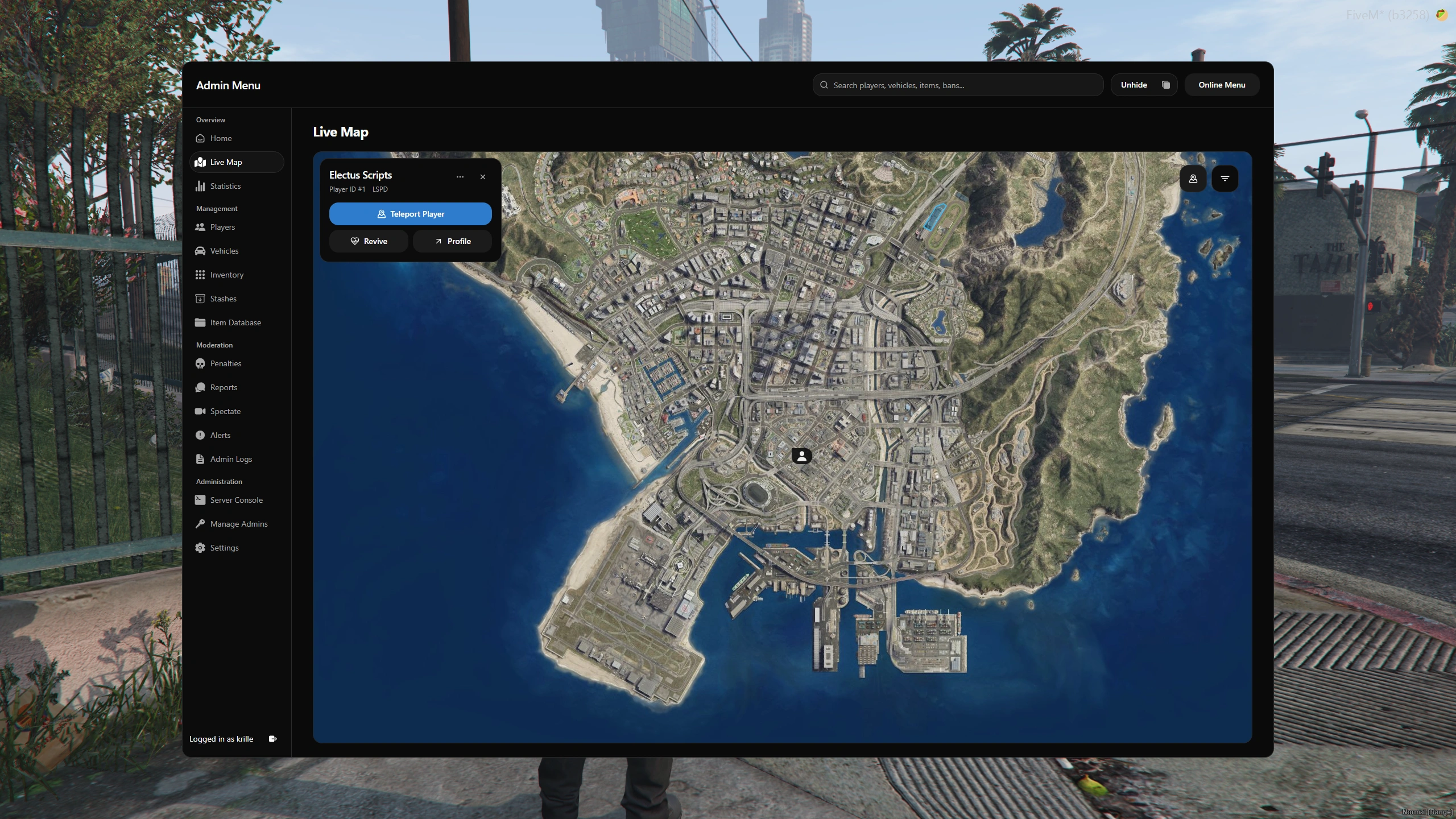
Live map and zones
Locate online players, follow their movement trails, and teleport or revive them from the map. Create circular or polygon zones with weapon restrictions, speed limits, and entry rules.

Manage your FiveM server in game or from a browser with online and offline player tools, reports, live spectating, inventories, and staff controls.
Price, VAT included
$39.99
The resource, future updates, secure delivery and direct support are all part of the purchase.
License
Lifetime access
Updates
Included
Delivery
Cfx and Tebex
Support
Electus Discord
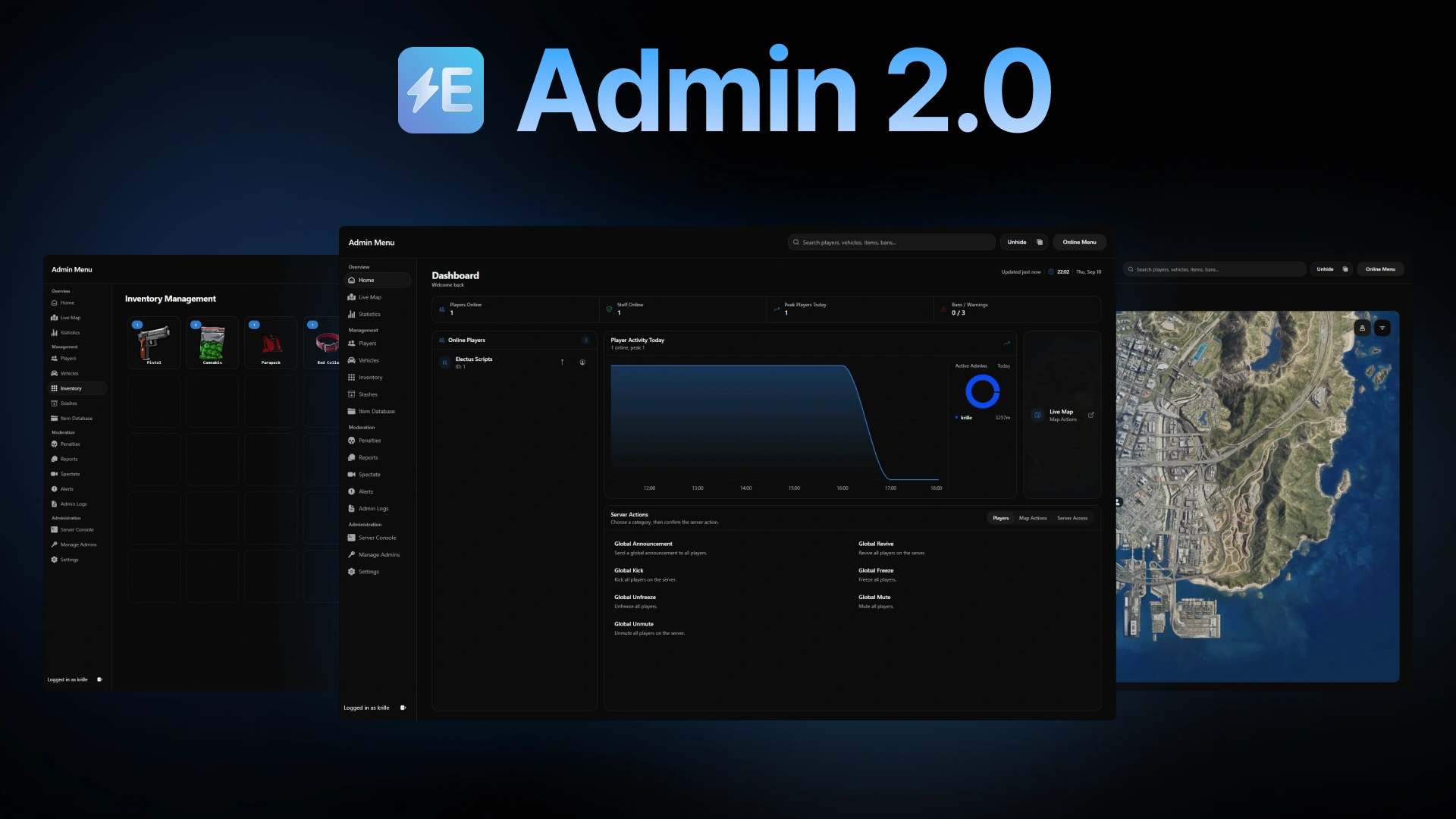
Electus Admin 2.0 brings player management, moderation, and server controls into one dashboard for ESX, QB-Core, and Qbox. Manage online and offline characters, inspect inventories and stashes, handle player reports, and follow live activity from the in-game menu or a web browser. Staff roles and action logs let you control access and review changes.
Locate online players, follow their movement trails, and teleport or revive them from the map. Create circular or polygon zones with weapon restrictions, speed limits, and entry rules.
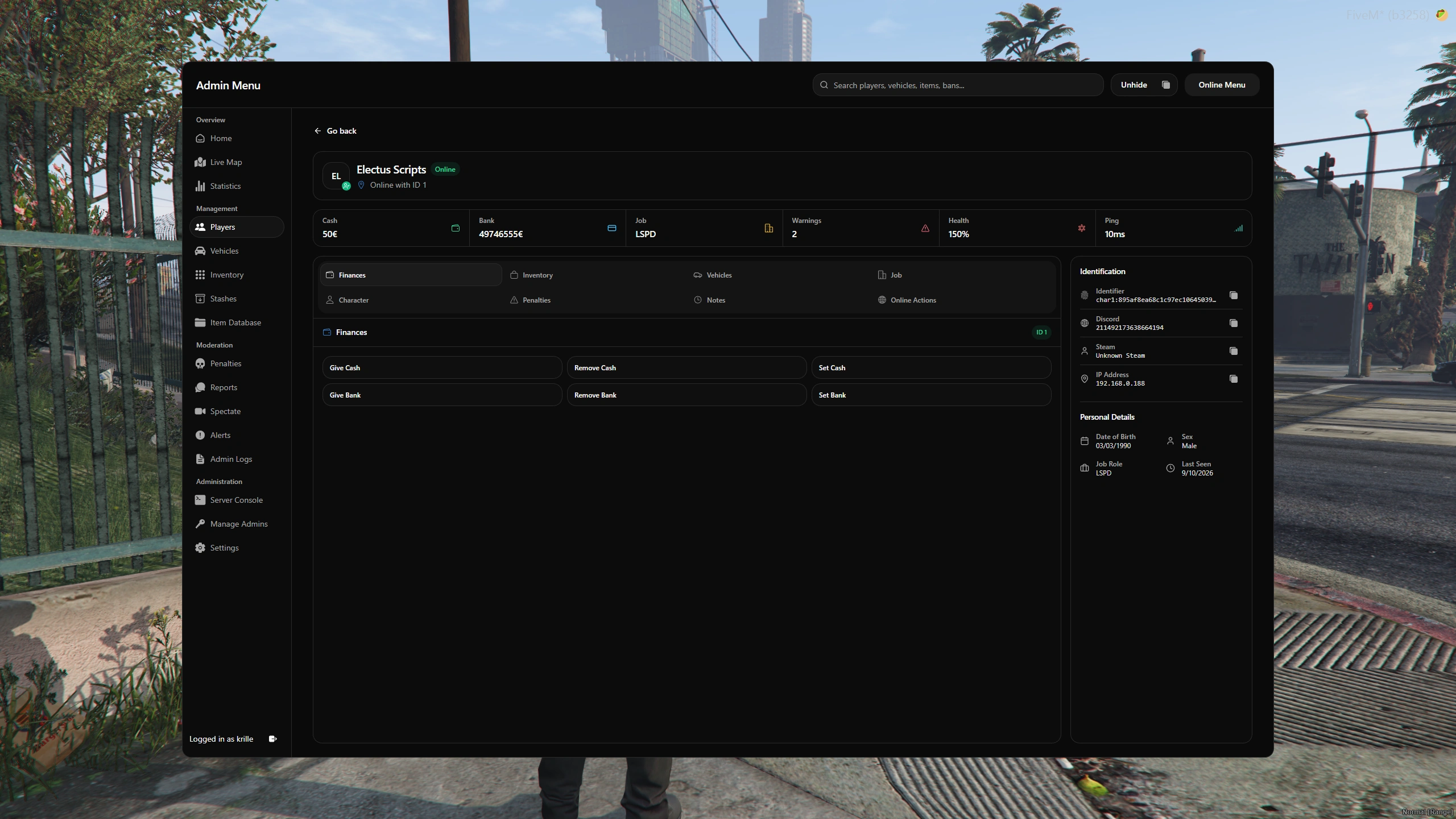
Search online and offline characters, edit cash and bank balances, change jobs and grades, update names, and keep staff notes alongside their inventory, vehicles, and penalties.
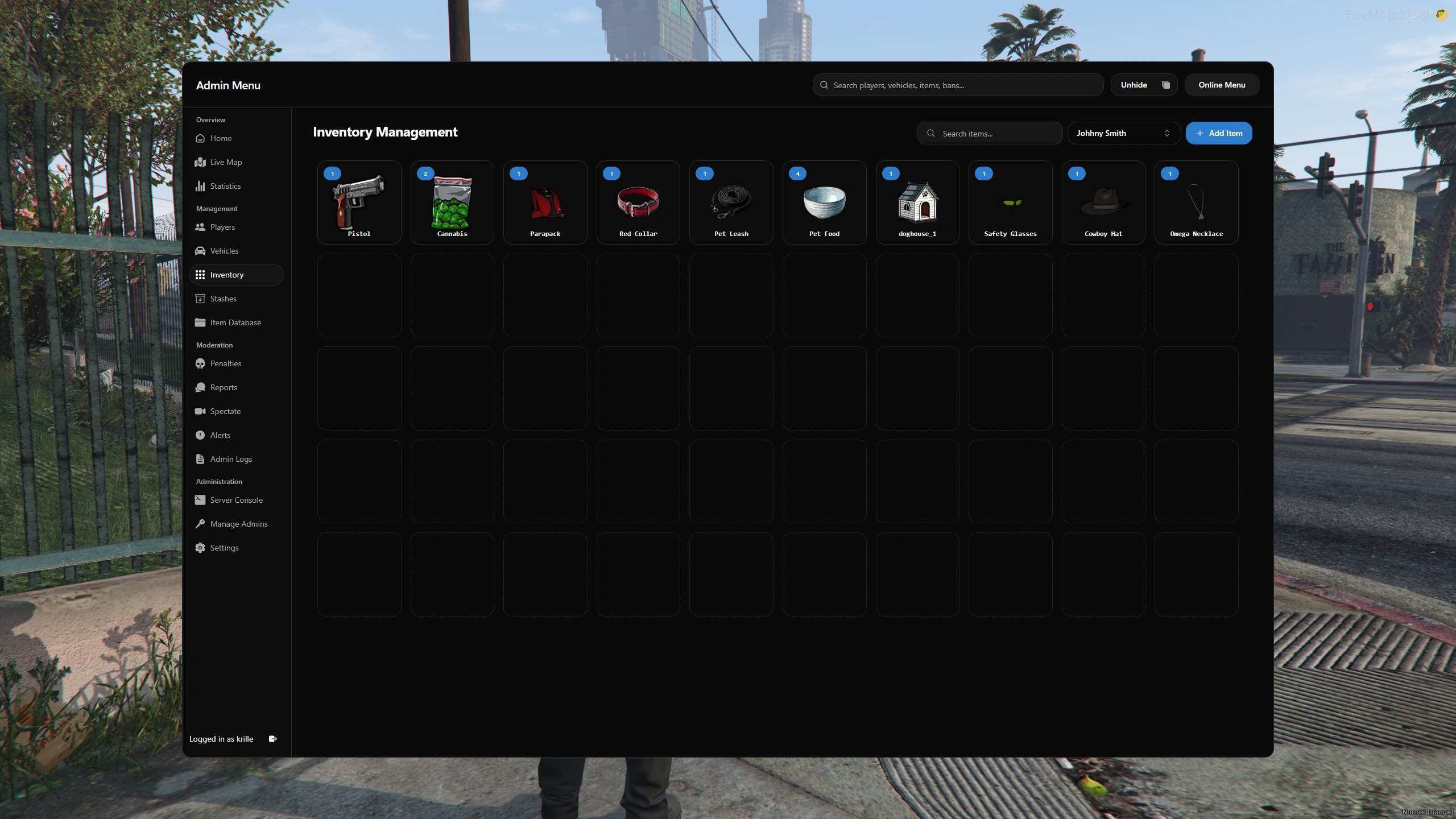
Inspect player inventories and add, remove, or set item quantities for online and offline characters through supported inventory integrations.
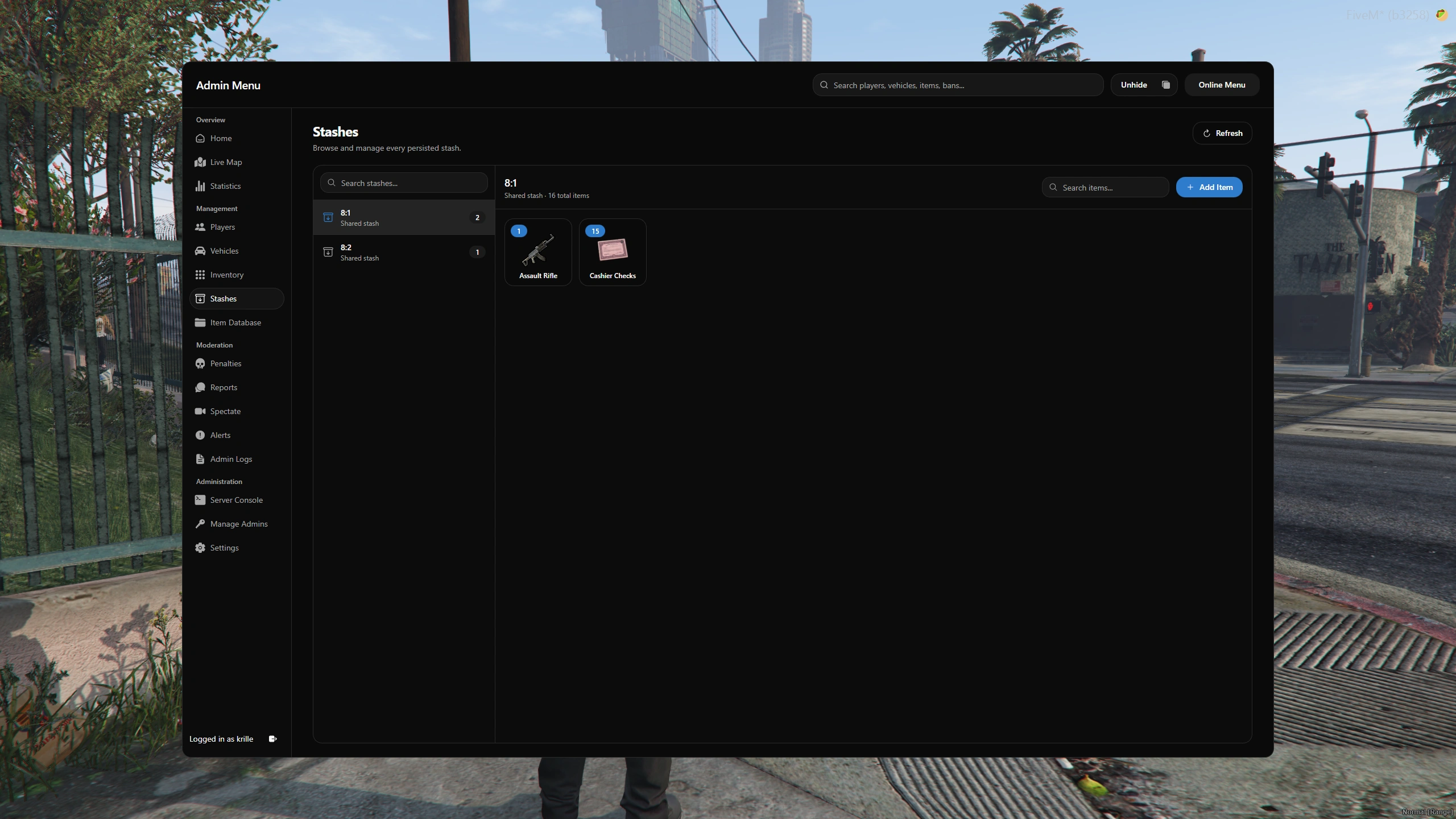
Browse stored stashes, inspect their contents, and add, remove, or adjust items through the configured inventory integration.
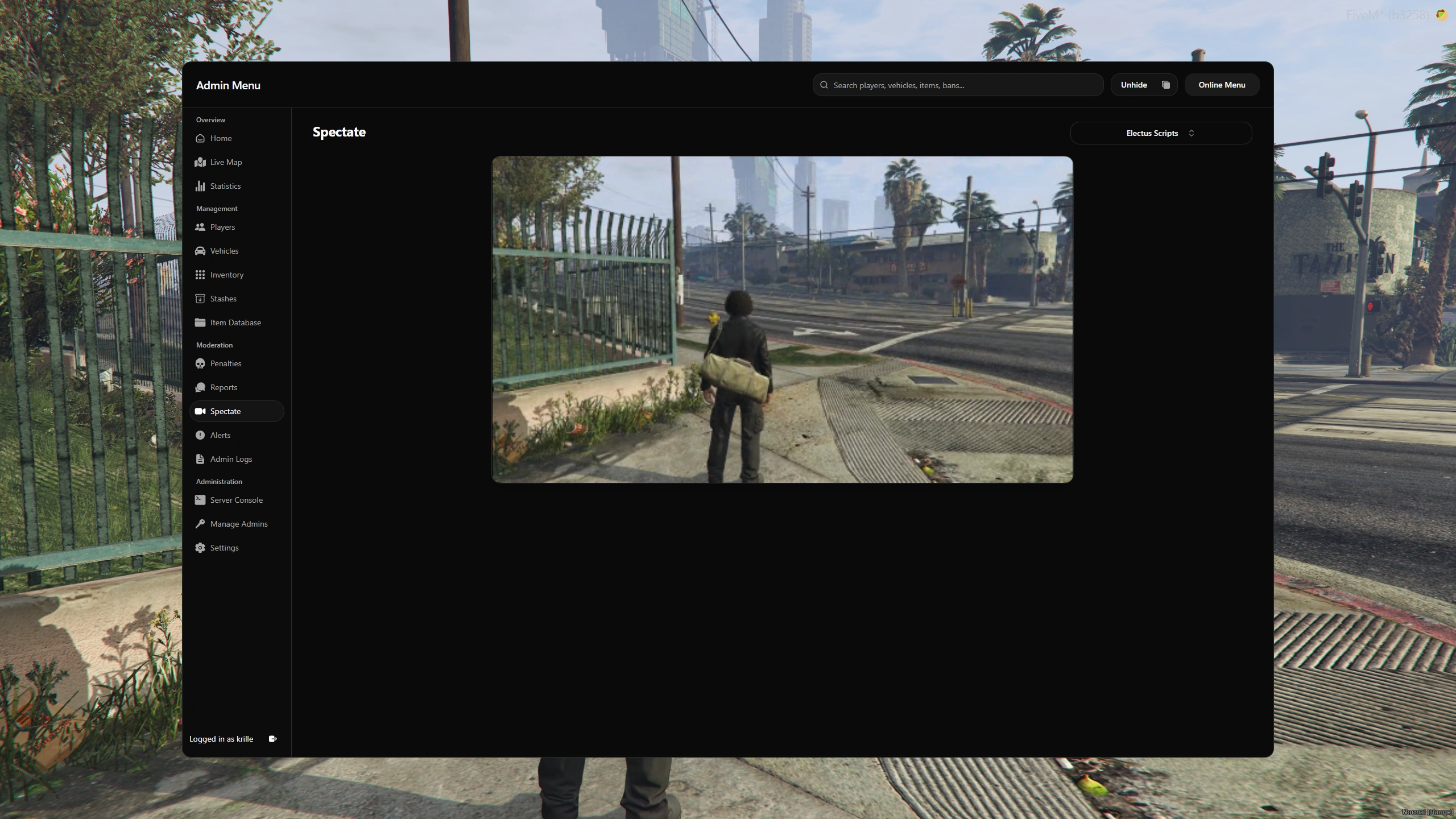
Watch a player's live game view from the dashboard, including your browser. Voice audio is available with Mumble configured.
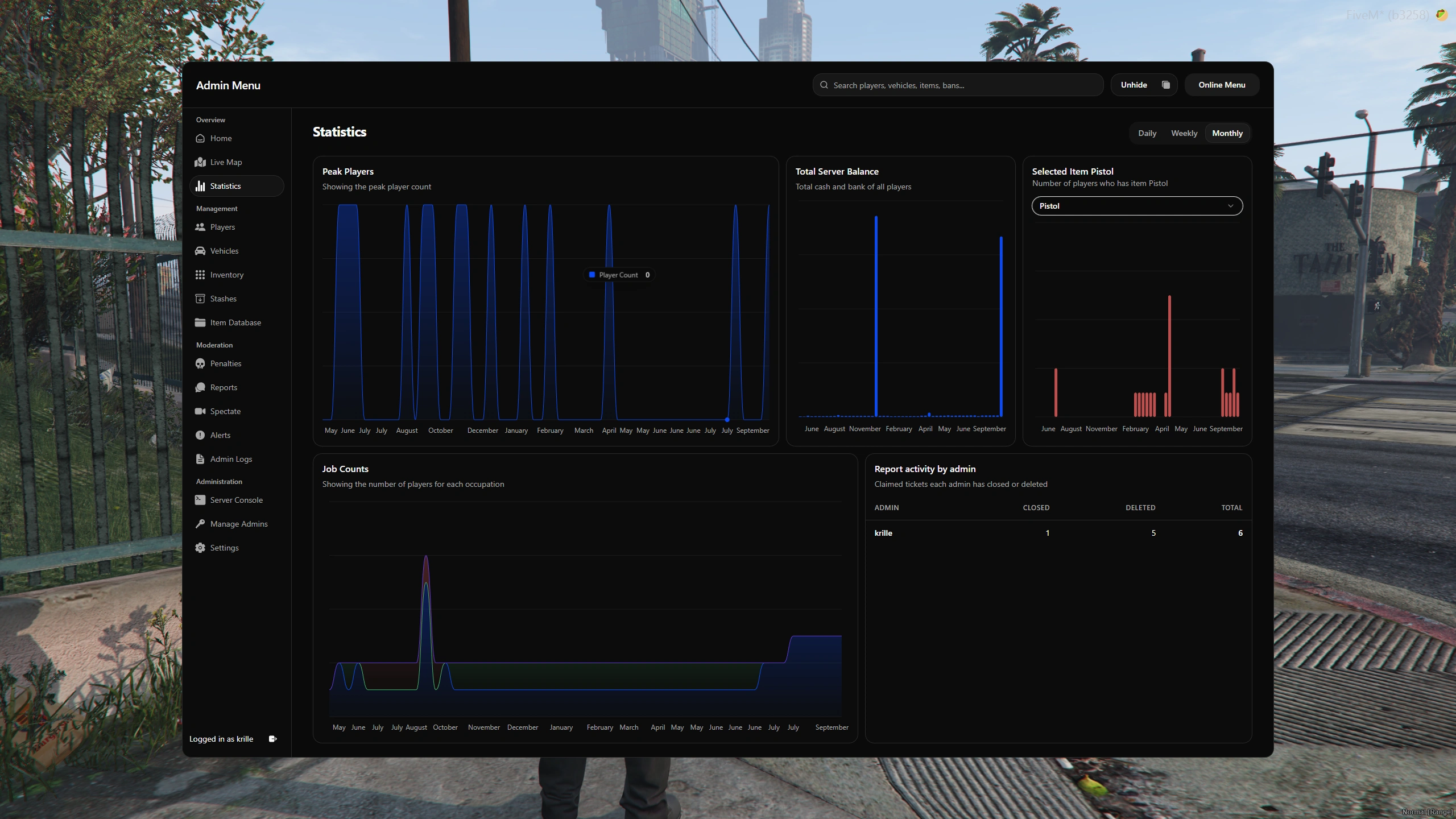
Review daily, weekly, and monthly player counts, server balances, job counts, and selected item holders, plus report activity by staff member.
Registered staff can use /adminmenu in game or sign in through the configured browser URL. Each staff member's roles determine their available tools.
Players use /report to submit an issue and /reports to follow it. Staff claim the ticket, investigate, reply, and record the outcome when closing it.
Open the area that matters to your server. The complete feature set is still here without asking every item to compete for attention.
Use the dashboard inside FiveM or sign in through a browser to manage your server without joining the game.
Locate online players, follow their movement trails, and teleport or revive them from the map. Create circular or polygon zones with weapon restrictions, speed limits, and entry rules.
Watch a player's live game view from the dashboard, including your browser. Voice audio is available with Mumble configured.
Search for players, vehicles, items, bans, and warnings from one search bar, then open the matching record.
Let players submit reports and follow the conversation. Staff can claim tickets, reply with saved responses, attach evidence, take player actions, and close reports with a resolution reason.
Issue bans and warnings, review a player's penalty history, and manage existing penalties from the dashboard.
Search online and offline characters, edit cash and bank balances, change jobs and grades, update names, and keep staff notes alongside their inventory, vehicles, and penalties.
Inspect player inventories and add, remove, or set item quantities for online and offline characters through supported inventory integrations.
Browse stored stashes, inspect their contents, and add, remove, or adjust items through the configured inventory integration.
Find which players hold a specific item and manage quantities across the server with bulk add, remove, and set actions.
Find vehicles by plate or owner, grant owned vehicles, transfer ownership, and edit plates or garages. Repair, flip, or delete live vehicles and remove stored vehicle records.
Use noclip, god mode, player IDs, teleporting, healing, reviving, vehicle tools, coordinate copying, and the entity debugger while in game.
Review daily, weekly, and monthly player counts, server balances, job counts, and selected item holders, plus report activity by staff member.
Set cash, bank, item, and vehicle thresholds to flag matching players for staff review.
Review staff actions and resource logs. Undo supported inventory, money, job, name, and vehicle changes within the configured time window.
Create staff roles with permissions for individual tools and actions, assign them to admins, and track staff activity.
Send announcements, revive or freeze players, clean up entities, and control time and weather. View console output and run server commands with the required staff permissions.
Choose light or dark mode and configure interface colors to match your server.
Requirements, integrations, permissions and support are kept together so server owners can make a confident decision.
Supports ESX, QB-Core, and Qbox, with framework selection available in the configuration.
Requires ESX, QB-Core, or Qbox, plus ox_lib and oxmysql. Player screenshots use screenshot-basic.
Includes adapters for ox_inventory, qb-inventory, qs-inventory, core_inventory, Codem inventory, and ESX inventory. Stash support depends on the configured integration.
Includes adapters for esx_garage, qb-garages, jg-advancedgarages, cd_garage, and op-garages.
Browser access requires an HTTPS address configured through web_baseUrl or a domain with a reverse proxy or tunnel. Spectate voice audio requires Mumble.
The purchase includes free support through the Electus Discord.
The purchase includes free future product updates.
Confirm what is included, what the resource needs, and where to get help.
The purchase includes the complete Electus Admin 2.0 resource, the capabilities listed on this page, lifetime access, free product updates, and Discord support.
Requires ESX, QB-Core, or Qbox, plus ox_lib and oxmysql. Player screenshots use screenshot-basic.
Supports ESX, QB-Core, and Qbox, with framework selection available in the configuration.
Yes. Join the Electus Discord to confirm compatibility, dependencies, or installation details before you buy.
Electus Admin 2.0
$39.99
Electus Scripts was established in 2021 and has been consistently developing FiveM scripts ever since. Our goal is to provide high-quality, affordable scripts to meet your needs.
© Copyright 2026 Electus Scripts | We do not have affiliation with any real world brands